![Untitled design (2)-3.png]](https://support.helloalleva.com/hs-fs/hubfs/Untitled%20design%20(2)-3.png?height=50&name=Untitled%20design%20(2)-3.png)
Locate the User Profile in User Management
- To Locate the User Profile, Navigate to Settings>User Management>Search the User List>Select the "Unavailable Charts" Action.
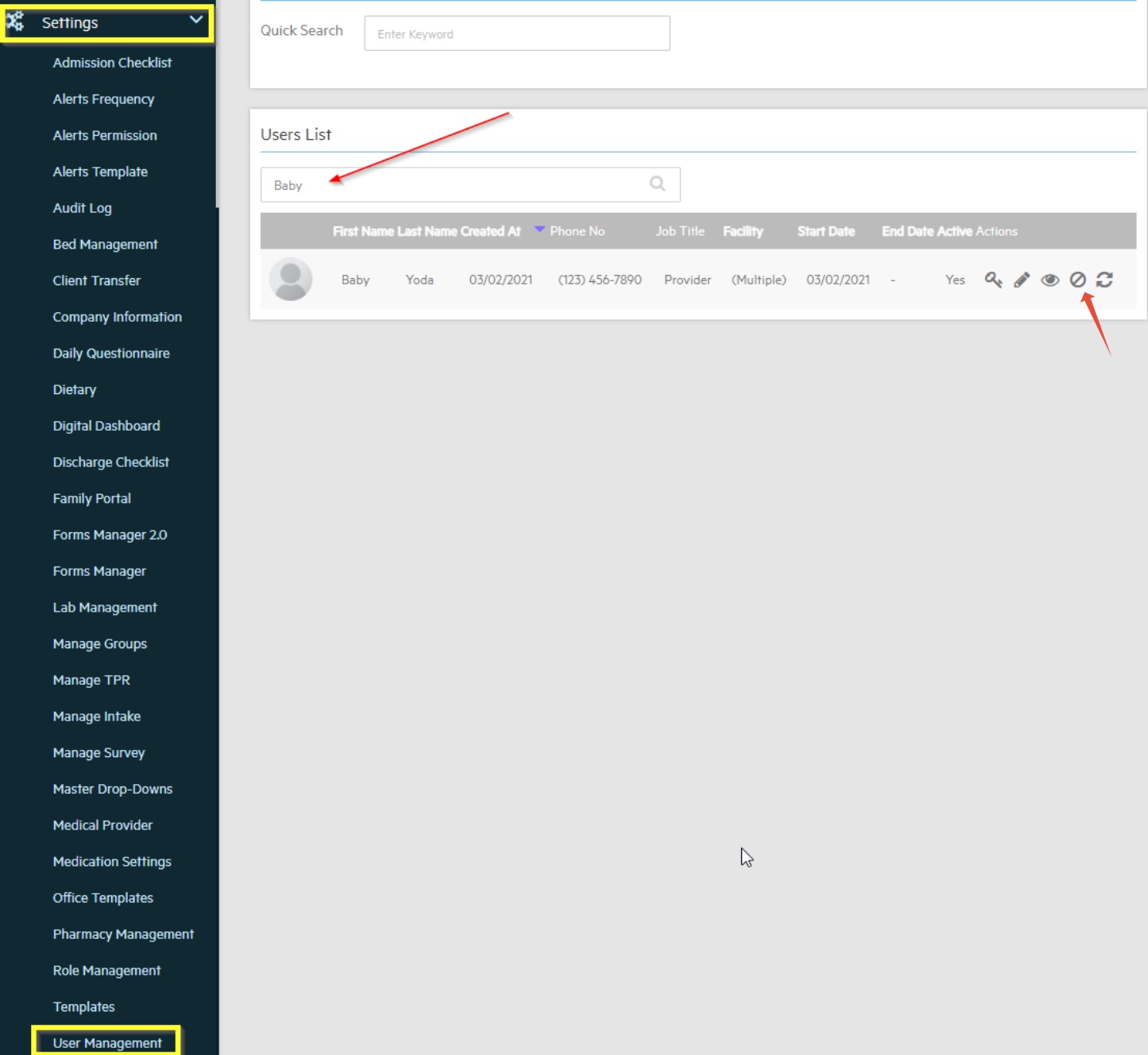
- Search and select the Client Chart you would like to make unavailable and click save.
- Once this has been saved, that client chart will not show up in the client list for the specified user.
- Hidden charts will show up as Checked on this page.

- If that User searches for that client in the client list, that chart will not show up.

