![Untitled design (2)-3.png]](https://support.helloalleva.com/hs-fs/hubfs/Untitled%20design%20(2)-3.png?height=50&name=Untitled%20design%20(2)-3.png)
Once a calculation is created, staff will never have to do mental math or use a calculator when completing an assessment again. Build the calculation once, and any form can automatically generate a score based on answers entered throughout the form.
How to create a Calculation:
- Add calculable fields ("Number" or "Checkbox/Radio") and select "calculable" when editing the field.
- Add a "shortname" for each calculable field, which will be used when creating the calculation.
- For "Checkbox/Radio" fields, add values associated with each possible answer. Example: Mild = 1, Moderate = 2, Severe = 3.
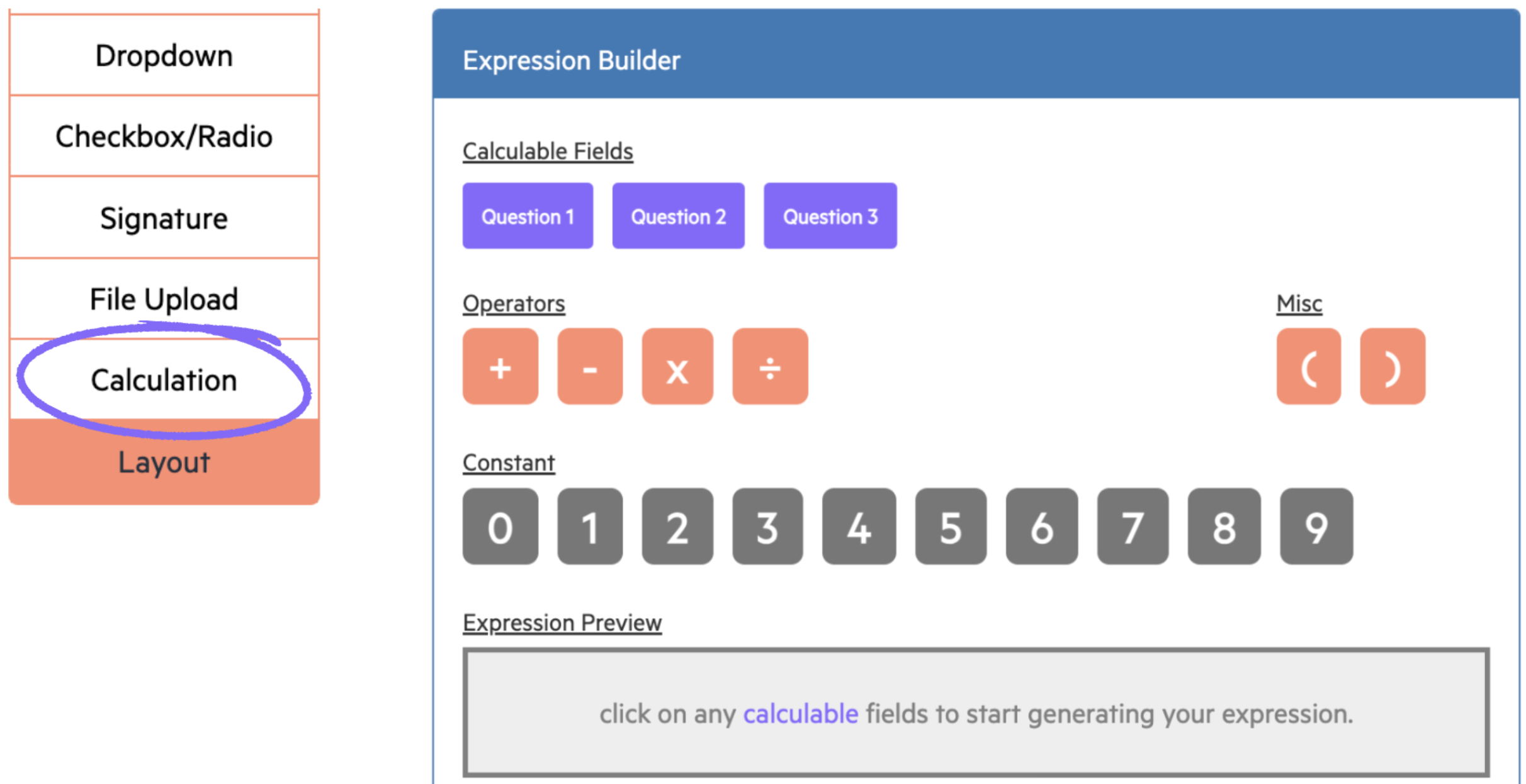
- Select "Calculation" and use the Expression Builder to create your formula: