![Untitled design (2)-3.png]](https://support.helloalleva.com/hs-fs/hubfs/Untitled%20design%20(2)-3.png?height=50&name=Untitled%20design%20(2)-3.png)
Set the permission on a role
Who can open or print a single incident
- Go to Settings > Role Management and edit a role.
- Find the Incident Report row.
- Make sure View is checked.
- Check or uncheck View All Incidents.
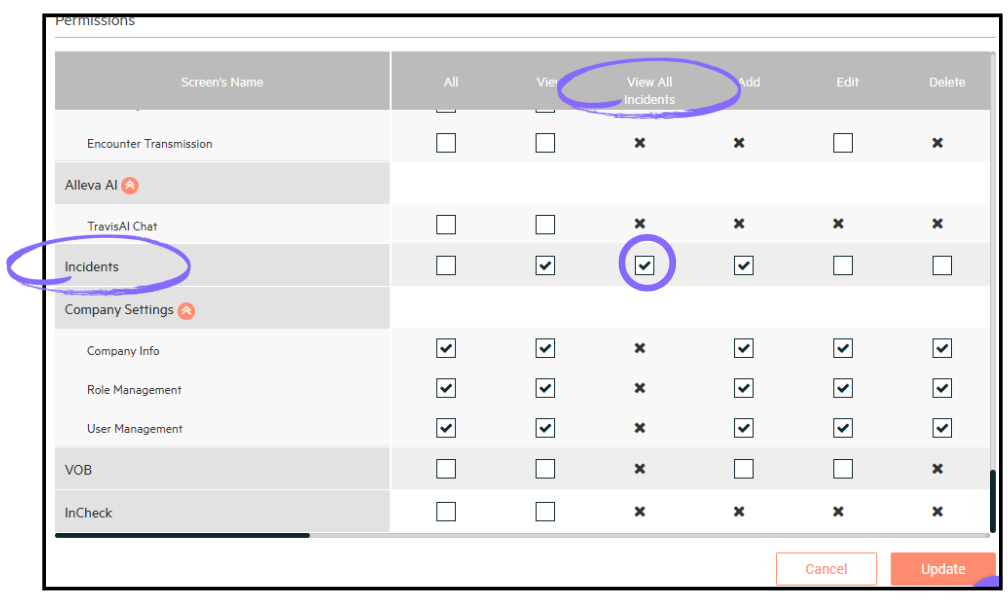
- Click Save.
|
User's role |
Tabs shown |
What each tab shows |
|
Has View All Incidents |
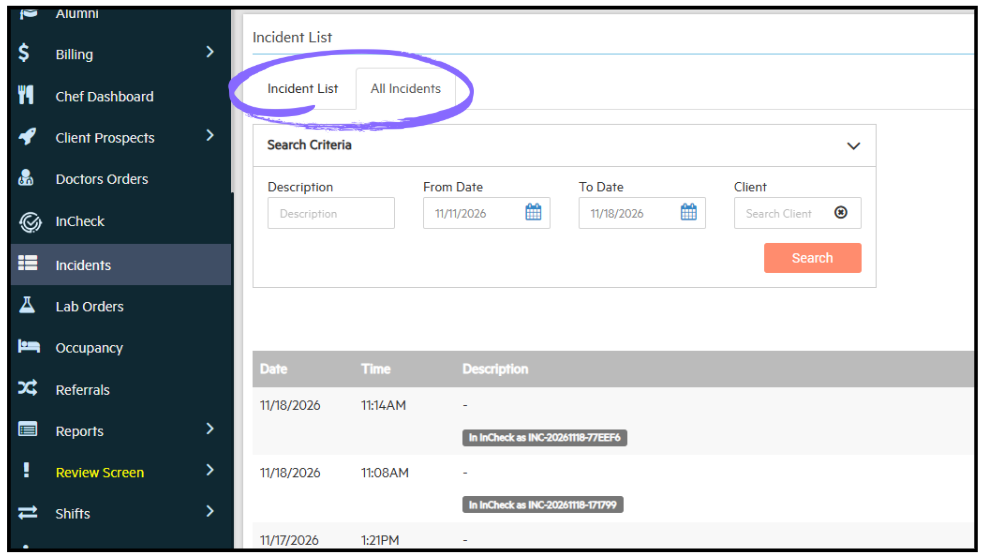
All Incidents (opens by default) and Incident List |
All Incidents: every incident at the facility. Incident List: only incidents the user reported. |
|
Does not have View All Incidents |
Incident List only |
Only incidents the user reported |
Who can open or print a single incident
- The person who reported it
- Its assigned reviewers
- Users with View All Incidents
- Rehab Admins
Things to know
- View All Incidents is a viewing permission only. It does not let users edit or delete incidents reported by others. The reporter and Rehab Admins keep edit and delete rights as before.
- At rehabs that use InCheck, signed incidents are locked for everyone.
- Every role that can view incidents today has View All Incidents checked after the release.
- When you create a new role, checking View on Incident Report also checks View All Incidents. Uncheck it if needed.
- Rehab Admins always have View All.
- InCheck's Sync from EMR still receives every incident.
- Notifications and the dashboard incident count do not change.